
AI can help creators brainstorm ideas, organize information, draft content, and explore different creative directions. But the quality of the result often depends on how clearly you communicate the task.
A short prompt such as “Write a YouTube script” gives an AI model very little information about the audience, purpose, tone, length, structure, or expected result. A more useful prompt explains what you want, who the content is for, what information should be included, and how the final output should be formatted.
OpenAI’s current prompting guidance similarly emphasizes clear, specific instructions, sufficient context, and iterative refinement rather than searching for one magical “perfect prompt.”
For content creators, this means prompt writing is less about using complicated words and more about giving the AI enough useful direction to understand the creative task.
This guide explains a practical framework for writing better prompts for YouTube, blogs, social media, and other content workflows and how to write better AI prompts.
Quick Answer: What Makes an AI Prompt Effective?
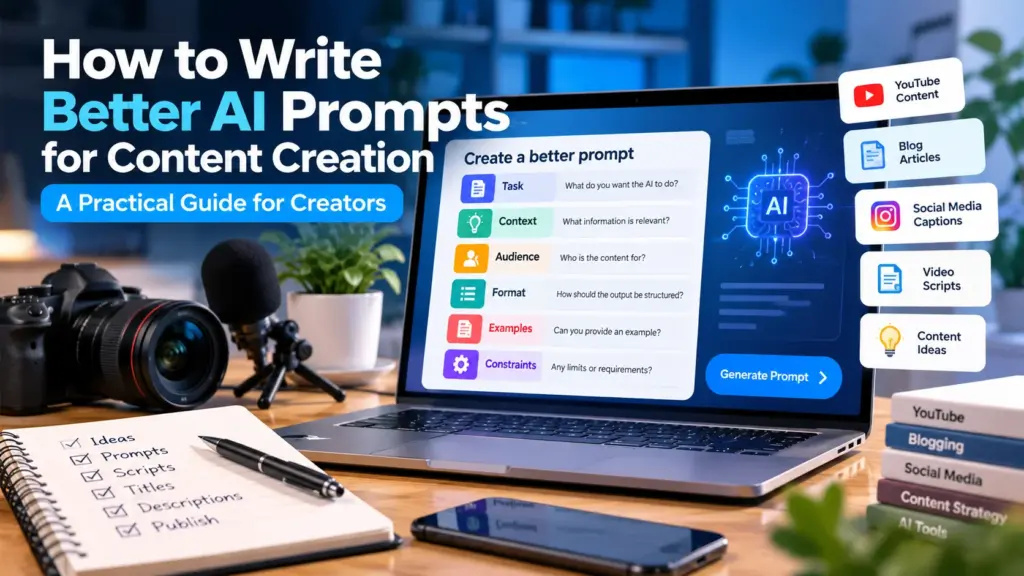
A useful content prompt usually includes:
- The task — what you want the AI to do.
- Context — information the AI needs to understand the situation.
- Audience — who will consume the content.
- Goal — what the content should accomplish.
- Format — how you want the answer structured.
- Constraints — important requirements, limitations, or things to avoid.
You don’t always need all six elements. A simple task may require only a few. But when the task is complex, providing more relevant context can make the request much clearer.
Key Takeaways
- Clear prompts are generally more useful than vague prompts.
- Give AI the context it actually needs.
- Describe the audience and desired outcome.
- Tell the model how you want the result structured.
- Use examples when the desired output is difficult to describe.
- Break complicated tasks into smaller steps when necessary.
- Review and refine the response instead of expecting the first prompt to be perfect.
- Use AI as a creative assistant while keeping human judgment and review in the process.
1. What Is an AI Prompt?
An AI prompt is the instruction or input you provide to an AI system to guide the response.
It can be a simple question:
“What are three YouTube video ideas for beginner photographers?”
Or a much more detailed instruction:
“Give me 10 YouTube video ideas for beginner smartphone photographers. Focus on practical problems they commonly encounter when taking indoor photos. Avoid advanced camera terminology. For each idea, provide a working title, the problem it addresses, and the main lesson.”
Both are prompts, but the second gives the AI considerably more direction.
Prompt engineering is essentially the process of designing and refining instructions so an AI model can produce a response that better matches the intended result.
OpenAI’s prompting guidance recommends clearly identifying the task, providing necessary context, and specifying the desired tone or style.
The important point is that a longer prompt is not automatically a better prompt.
The goal is to provide relevant information, not unnecessary instructions.
2. Start With the Task
The first question your prompt should answer is:
What exactly do I want the AI to do?
Compare:
Vague:
“Help me with YouTube.”
Clear:
“Create 10 YouTube video ideas for a beginner channel about smartphone photography.”
The second prompt establishes the task immediately.
Useful task verbs include:
- Generate,
- Explain,
- Compare,
- Summarize,
- Rewrite,
- Brainstorm,
- Organize,
- Analyze,
- Create,
- Improve,
- Extract,
- Suggest.
For example:
“Generate five YouTube title variations…”
is much more precise than:
“I need help with my titles.”
3. Add Context
Context tells the AI what it needs to know before completing the task.
Imagine you ask:
“Write an Instagram caption about photography.”
The model doesn’t know:
- What type of photography?
- Who is the audience?
- What is happening in the image?
- What tone should it use?
- Is this educational or promotional?
Add context:
“Write five Instagram captions for a beginner photography page. The image shows a smartphone photograph taken during golden hour. Keep the captions friendly and educational, and avoid exaggerated claims.”
Now the AI has a much clearer starting point.
Think of context as answering:
What is happening?
Why are we creating this?
What information should the AI know?
Only include context that actually affects the result.
4. Tell AI Who the Audience Is
The same topic can require completely different content depending on the audience.
For example:
“Explain SEO.”
could produce a general explanation.
But:
“Explain basic SEO to a first-year college student who has never managed a website. Use simple language and practical examples.”
creates a very different target.
For creators, audience information can include:
- Age group,
- Experience level,
- Interests,
- Profession,
- Knowledge level,
- Common problems,
- Preferred communication style.
You don’t need to provide every detail every time.
For example:
Audience: Beginner YouTube creators
may be enough for a simple request.
5. Define the Desired Outcome
A good prompt should also explain what success looks like.
Suppose you’re creating a blog introduction.
Instead of:
“Write an introduction about AI.”
try:
“Write a 150-word introduction for beginners explaining how AI can assist with content creation. The goal is to help readers understand practical uses without suggesting that AI should replace human creativity.”
The second prompt tells the model:
- what to create,
- how long it should be,
- who it’s for,
- what the content should accomplish,
- what perspective to avoid.
That additional direction can make the result much easier to work with.
6. Specify the Format
If you need a particular structure, tell the AI.
For example:
“Give me 10 YouTube video ideas in a table with these columns: Topic, Working Title, Target Audience, and Main Benefit.”
Without the format instruction, you might receive a numbered list instead.
You can specify:
- Bullet points,
- Table,
- Numbered list,
- Step-by-step guide,
- Short paragraph,
- Script,
- Outline,
- JSON,
- FAQ,
- Comparison.
For more complex tasks, specifying the desired context, outcome, length, format and style can help make the expected output clearer. Go through, OpenAI’s prompt-engineering best practices.
Example
Instead of:
“Give me content ideas.”
Use:
“Give me 10 content ideas in a table. Include the topic, suggested title, target audience, and one-sentence explanation.”
Now the desired output is obvious.
7. Add Constraints When They Matter
Constraints prevent the AI from wandering away from what you need.
Examples include:
- Maximum word count,
- Reading level,
- Tone,
- Number of examples,
- Topics to avoid,
- Required sections,
- Geographic audience,
- Formatting requirements.
For example:
“Write a YouTube introduction for beginners in 100 words or fewer. Use a friendly, conversational tone and avoid technical terminology.”
The constraints make the target clearer.
However, don’t overload every prompt with dozens of unnecessary rules.
8. Use Examples to Show What You Want
Sometimes describing an output isn’t enough. An example can make your expectation much clearer.
Suppose you want short social media captions.
You could write:
“Create five captions similar in length and tone to this example:
‘Small changes can make your workflow much easier. Here are three simple ways to organize your content.’”
The example gives the model a reference for:
- Length,
- Tone,
- Style,
- Structure.
This approach can be particularly useful when you’re trying to maintain a consistent brand voice.
9. Break Complex Tasks Into Smaller Prompts
One large prompt isn’t always the best solution.
Imagine you’re creating a complete YouTube video.
Instead of asking:
“Research my topic, create the script, title, description, thumbnail text and social posts.”
you can divide the workflow:
Step 1: Research and identify important questions.
Step 2: Create an outline.
Step 3: Develop the script.
Step 4: Generate title variations.
Step 5: Write the description.
Step 6: Create social-media variations.
This gives you opportunities to review the output between stages.
OpenAI’s current prompting guidance recommends breaking complex tasks into smaller, focused requests when appropriate and treating prompting as an iterative process.
10. Improve a Prompt Instead of Starting Over
Your first prompt doesn’t need to be perfect.
Suppose you receive a response that is too technical.
Instead of starting from scratch, say:
“Rewrite this for a complete beginner. Remove technical terminology and add two simple examples.”
Or perhaps the response is too long:
“Condense this to 300 words while keeping the three main recommendations.”
This is iterative prompting.
You give feedback based on the first response and gradually move toward the result you want.
This is often more practical than trying to write one enormous prompt containing every possible instruction.
OpenAI’s iterative prompting guidance recommends treating prompting as an iterative process: review the initial response, refine the request, and continue experimenting when the result doesn’t meet your goal.
11. Practical Prompt Examples for Creators
Here are some examples of how a vague request can become more useful.
| Goal | Basic prompt | Improved prompt |
|---|---|---|
| YouTube ideas | “Give me video ideas.” | “Give me 10 beginner YouTube ideas about smartphone photography, focusing on common problems.” |
| YouTube titles | “Write a title.” | “Create 8 clear YouTube titles for a beginner tutorial about editing smartphone videos.” |
| Blog article | “Write about AI.” | “Create an outline for a beginner article explaining five practical uses of AI in content creation.” |
| Instagram caption | “Write a caption.” | “Create five friendly Instagram captions for a creator sharing three beginner video-editing tips.” |
| Content plan | “Make a content plan.” | “Create a four-week content plan for a beginner YouTube channel about productivity, with two videos per week.” |
The improved versions don’t necessarily use complicated prompting techniques. They simply provide more useful direction.
If you’re using AI specifically for YouTube, our guide on how to use AI for YouTube content creation explains the complete workflow from idea development through publishing.
For the title-writing stage, see our guide on how to write better YouTube titles for practical advice on search intent, clarity, CTR and testing. After developing your prompt, you can also use the YouTube Title Generator to brainstorm title variations.
12. Use ToolMindAI’s AI Prompt Generator
If you know what you want to accomplish but aren’t sure how to structure the request, ToolMindAI’s AI Prompt Generator can help you develop a starting prompt.
For example, instead of trying to figure out the exact wording yourself, you can provide the basic task and relevant context, then use the generated prompt as a starting point.
The important step remains the same: review the generated prompt before using it.
Make sure it reflects your actual goal, audience, content requirements, and preferred output.
The generator should make prompt creation easier—not remove your judgment from the process.
13. Keep Human Review in the Workflow
A well-written prompt doesn’t guarantee a perfect AI response.
AI output can still contain:
- factual errors,
- outdated information,
- inappropriate assumptions,
- repetitive language,
- generic examples,
- unsupported claims.
That’s why the workflow should be:
Prompt → AI response → Review → Refine → Verify → Use
For content creators, this is especially important when publishing information that audiences may rely on.
AI can help accelerate the creative process, but you remain responsible for deciding whether the result is accurate, appropriate, and useful.
14. A Simple Prompt Formula You Can Reuse
For many content-creation tasks, this basic structure is enough:
Act as [role]. Create [task] for [audience]. The goal is [goal]. Include [important requirements]. Format the result as [format]. Keep the tone [tone]. Avoid [specific limitations].
For example:
Act as a YouTube content strategist. Create 10 video ideas for beginner creators. The goal is to teach practical AI content-creation skills. Include a working title and one-sentence description for each idea. Format the result as a table. Keep the tone educational and approachable. Avoid claims about guaranteed views or viral growth.
You can adapt this structure for blogs, social posts, video scripts, newsletters, and other creative tasks.
Common AI Prompting Mistakes
Being too vague
“Write something about YouTube.”
The AI has to guess almost everything.
Giving irrelevant context
More information isn’t automatically better. Include information that affects the task.
Asking for everything at once
Complex projects are often easier to manage as smaller stages.
Never reviewing the output
Even a strong prompt can produce an imperfect response.
Treating prompts as magic formulas
There is no universal prompt that guarantees a specific result. Different models and tasks can respond differently, so experimentation and refinement are useful.
Frequently Asked Questions
What is the best way to write an AI prompt?
Start by clearly describing the task, then provide relevant context, audience information, desired outcome, format, and important constraints. You don’t need every element for every request.
Does a longer prompt produce better results?
Not necessarily. A longer prompt can help when additional context is relevant, but unnecessary instructions can make the request harder to follow. Focus on useful information.
Should I tell AI who the audience is?
Yes, when the audience affects the language, examples, tone, or level of explanation. Specifying “beginner YouTube creators,” for example, gives the model useful direction.
Should I include examples in my prompts?
Examples can be helpful when you need a particular structure, tone, style, or type of output. They give the AI a concrete reference for what you want.
Can AI improve my existing prompt?
Yes. You can ask an AI system to review a prompt, identify missing information, simplify it, or restructure it for a particular task.
Should I use one large prompt for an entire content project?
Not always. Complex projects can often be easier to manage as several smaller stages, allowing you to review the output before moving forward.
Can AI prompts be used for YouTube content?
Yes. Creators can use prompts for idea generation, outlines, scripts, title brainstorming, descriptions, research organization, and other parts of the content workflow.
Can I use ToolMindAI to create prompts?
Yes. ToolMindAI’s AI Prompt Generator can help you create a starting prompt when you know the task but need help structuring the request. You should still review and customize the result.
Is there one perfect AI prompt?
No. The most useful prompt depends on the task, model, context, audience, and desired output. Prompting is often an iterative process rather than a one-time formula.
If you’re building a complete AI-assisted content workflow, explore ToolMindAI’s AI Creator Tools for additional tools for prompts, YouTube titles and descriptions.
Final Thoughts
Better AI prompts don’t require complicated language or secret formulas. They require clear communication.
Start with the task. Add the context that matters. Tell the AI who the content is for, what you want the result to accomplish, and how you want the output organized. When the response isn’t right, refine the request instead of assuming the entire approach has failed.
For creators, the most useful mindset is to treat AI as a creative collaborator and productivity tool. Let it help with brainstorming, structure, variations, and repetitive work, while you provide the judgment, experience, originality, and final review.
A simple workflow can be enough:
Define → Prompt → Review → Refine → Verify → Create
And when you need help turning a basic idea into a more structured request, ToolMindAI’s AI Prompt Generator can give you a practical starting point.